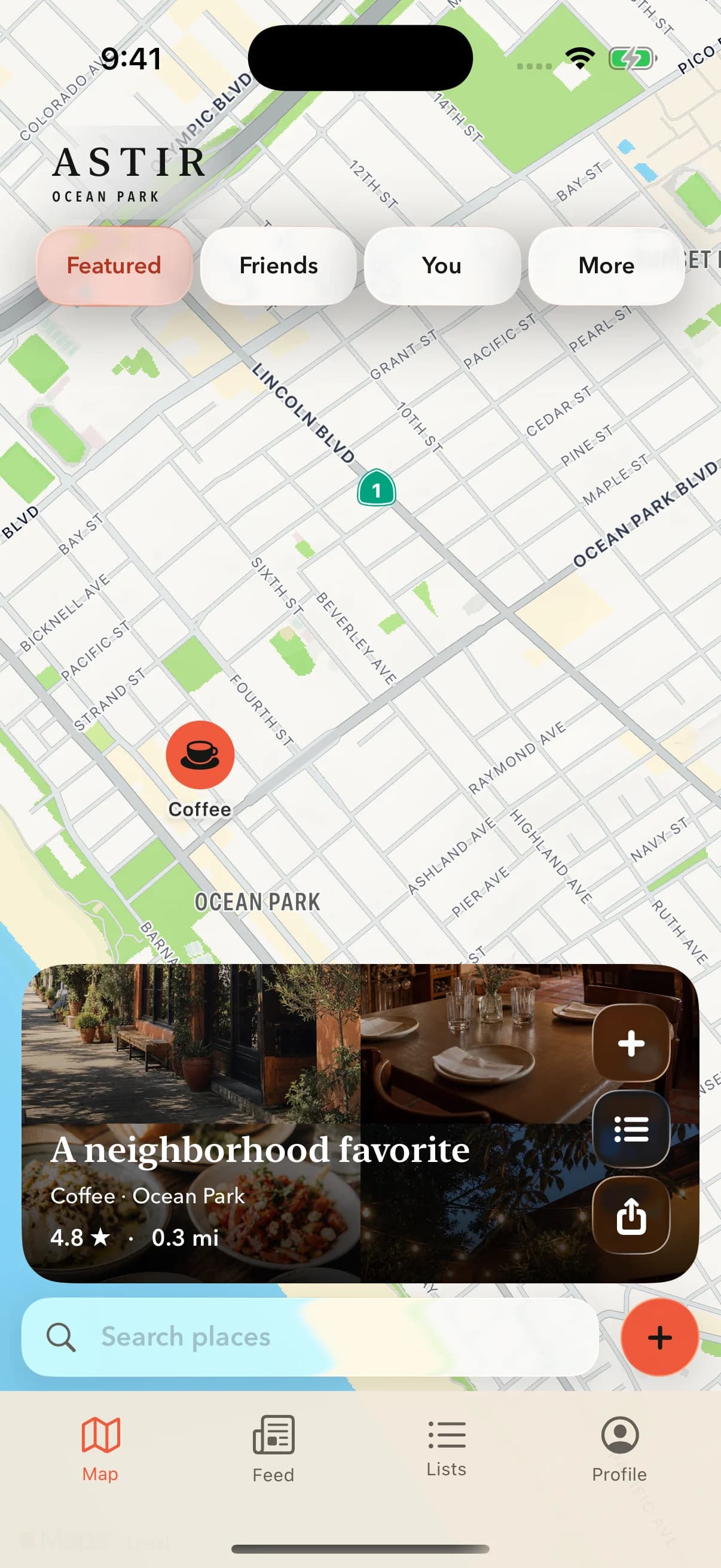
How Astir works

A place becomes useful when its story stays attached.

Astir turns a quick check-in into a trusted place memory you can actually find again.

Check inKeep the contextFind it laterAdd nearby

One place, still useful later

Follow the memory from map pin to future plan.

Explore illustrative walkthroughs of the Astir interface. Pause or step through each example at your own pace.

01

Capture the useful part

Check in with the reason attached.

Search Woodcat Coffee, confirm the category and rating, then add the note and tags future-you will actually need.

ASTIR / WALKTHROUGH
STEP 1 / 4Start with the place

Search by name, then choose the matching place.

1 of 4

Illustrative walkthrough · example content

02

Add the trusted layer

A pin carries a point of view.

Tap a place someone you trust already saved and their useful note arrives with the place card—not in a separate feed you have to hunt through.

ASTIR / WALKTHROUGH
STEP 1 / 3Start with your people

Choose Friends to see places shared by mutual follows.

1 of 3

Illustrative walkthrough · example content

03

Find it when it matters

Search the way you remember.

Ask for “quiet coffee with good wifi” or “Ryan’s favorite sandwiches in LA.” Astir searches the human context, not just the category.

ASTIR / WALKTHROUGH
STEP 1 / 3Search the way you remember

Use the details that matter for this moment.

1 of 3

Illustrative walkthrough · example content

04

Capture where you are

Nearby places, one action away.

Tap Add and Astir brings up useful places around you immediately, so saving the moment is faster than organizing it later.

ASTIR / WALKTHROUGH
STEP 1 / 3Capture where you are

The coral add button opens ways to save a place.

1 of 3

Illustrative walkthrough · example content

A map that gets more useful

Build the place memory you’ll actually come back to.

Download on the App Store